Keyboard & mouse macros for Windows

The BEST utility
for any game

Reflex lets you build macros from simple steps or Lua scripts, bind them to any key, combo or mouse button, and remap inputs on the fly — all in a clean, modern app.

$8 one-time purchase · Windows 10 & 11 · Lifetime updates

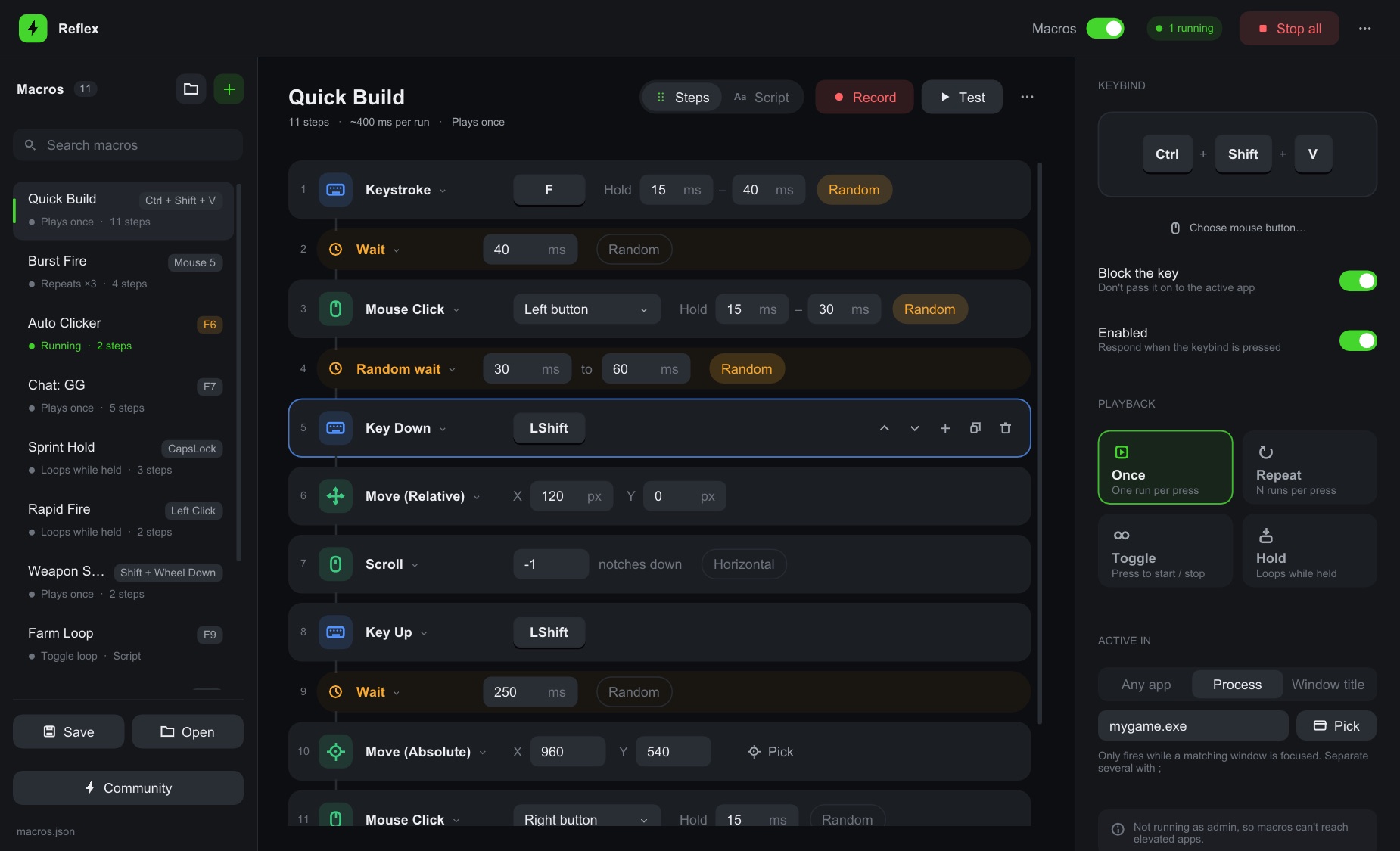
The Reflex app showing a macro built from steps, with keybind and playback settings
Features

Everything a macro tool should do

Powerful enough for scripts, simple enough to set up in a minute.

Step-by-step editor

Keystrokes, clicks, typing, mouse moves, scrolling and waits. Drag to reorder, no code needed.

Lua scripts

Loops, conditions and randomness when you want full control, with live error checking.

Any key or mouse button

Bind to keys, combos, all mouse buttons including side buttons, or the scroll wheel.

Remap & block

Turn left click into right click, Mouse 4 into a key, or disable keys — only while you want.

Human-like timing

Random delays, hold times and typing speed, so repeated actions don't look robotic.

Recorder

Hit record, do it once, and Reflex turns it into a macro you can tweak.

Folders & drag-and-drop

Organise dozens of macros into folders and arrange them however you like.

Premade macros & sharing

Start from ready-made macros, or share yours with a code your friends paste in.

Safe by design

Ctrl+Shift+F12 stops everything instantly and releases held keys. Macros can be limited to one app.

Scripts

Steps when you want simple. Code when you want power.

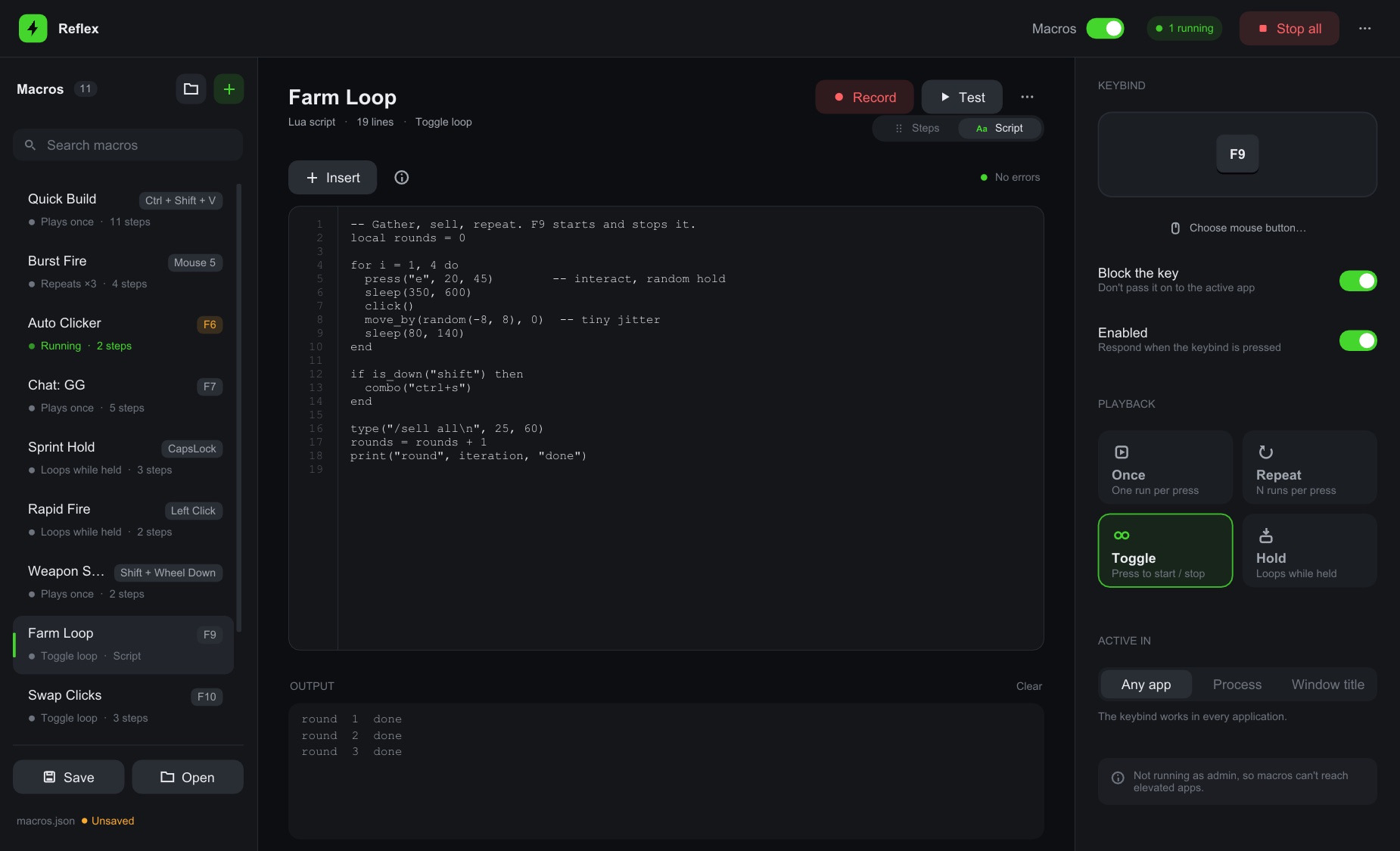
Switch any macro to a script and write it in Lua. Reflex highlights mistakes as you type and shows output while it runs.

  • press("e"), click(), type("gg"), sleep(50, 120)
  • React to what you press with pressed() and is_down()
  • Convert any step macro to a script in one click
The Reflex script editor with line numbers and an output panel
Remaps

Change what your keys and buttons do

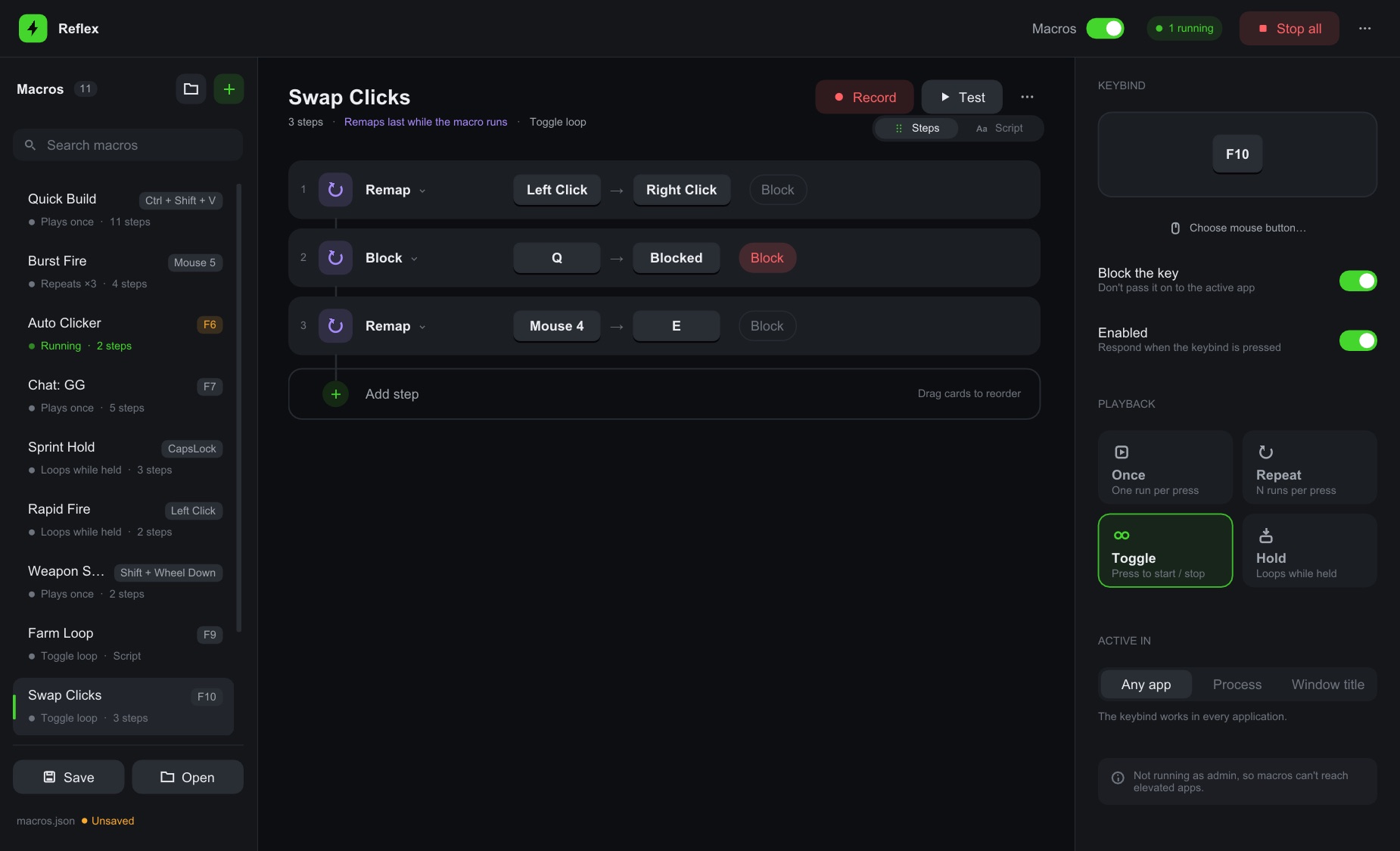
Add Remap and Block steps to a toggle macro and press its key to switch them on and off.

  • Swap mouse buttons, map side buttons to keys
  • Disable the Windows key while gaming
  • Clicks on Reflex itself are never remapped
Remap steps in Reflex: Left Click to Right Click, Q blocked, Mouse 4 to E
Premade macros

Ready to go in seconds

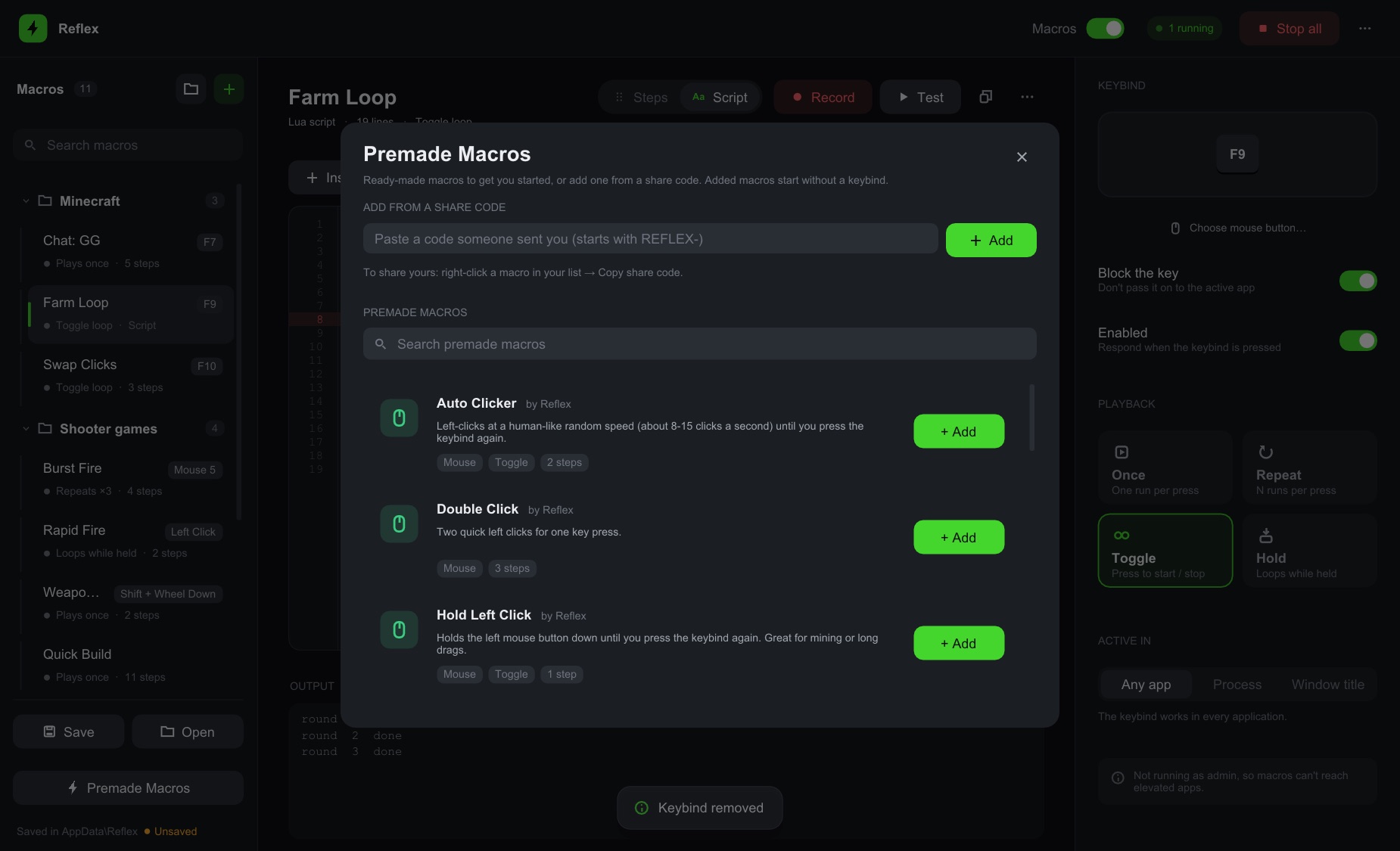
Auto clicker, auto walk, sprint lock, swap mouse buttons, typing helpers and more — add one, give it a key, done.

  • Share any macro as a code
  • Paste a friend's code to add theirs
The Premade Macros window in Reflex
How it works

Up and running in a minute

Build a macro

Add steps, record yourself, write a script, or start from a premade macro.

Give it a keybind

Any key, combo, mouse button or scroll direction. Choose once, toggle or hold.

Press and go

Your macro runs anywhere — or only in the app you choose. Everything saves automatically.

Pricing

One price. Yours forever.

No subscription. Buy once and keep getting updates.

Reflex Lifetime

$8

One-time purchase

  • Every feature, no limits
  • Lifetime updates
  • Premade macros & share codes
  • Windows 10 & 11
Buy Reflex — $8

Secure card checkout, powered by Stripe. Your key is shown and emailed right after.

Community

Join the Reflex Discord

Get help, request features, hear about updates first, and swap macro share codes with other players.

Join the Discord
FAQ

Questions

What do I need to run Reflex?

A Windows 10 or 11 PC. Reflex is a single small app — nothing else to install.

Is it a subscription?

No. You pay once and keep it, including future updates. Reflex tells you when a new version is out.

Will my macros be kept when I update?

Yes. Your macros are saved on your PC separately from the app, so new versions pick them up automatically.

Does it work in games?

Reflex sends real keyboard and mouse input, so it works in most apps and games. For games that run as administrator, run Reflex as administrator too. Some online games don't allow macros — always check a game's rules before using them there.

How do I get help?

Join the Reflex Discord — ask questions, report bugs, and share macros with other players.